


















EHR Too Slow? 5 Fixes to Speed Up Your System Today
Is your EHR system slowing you down? Discover 5 effective fixes—from hardware upgrades to Patient Management Software optimization to speed up your EHR and boost clinic productivity today.

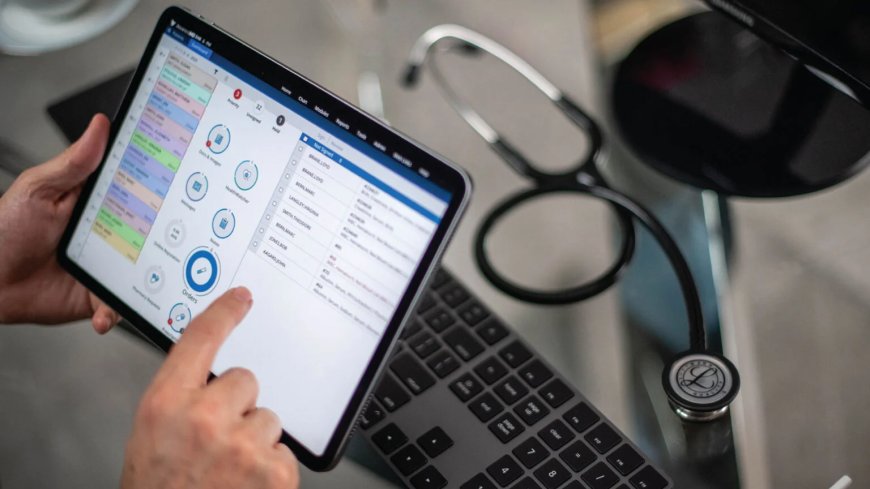
Electronic Health Records (EHRs) are meant to simplify tasks, enhance patient care, and boost practice efficiency. But when your system becomes slow, it can cause more harm than gooddelays in charting, frustrated staff, and longer patient wait times. A lagging EHR disrupts productivity and can even affect the quality of care. Thankfully, there are quick, effective solutions to get things running faster. Whether you're running a clinic, hospital, or private practice, here are five ways to fix your slow EHR system today.
1. Upgrade Your Hardware for Better System Support
One of the main reasons EHR systems run slowly is outdated hardware. Older devices with limited memory or slow processors struggle to keep up with modern EHR demands. Upgrading to computers with SSDs, at least 8GB of RAM, and newer processors can drastically improve speed. Even simple upgrades like replacing hard drives or adding RAM can enhance performance. Faster hardware means quicker load times, fewer crashes, and smoother navigation. Start by assessing all workstations and prioritizing upgrades where lag is most noticeable.
2. Boost Internet Speed and Network Connectivity
Slow or unstable internet is a major cause of lag in cloud-based EHR systems. If pages are taking forever to load or freezing during updates, your bandwidth may be insufficient. Ensure you're using a high-speed connectionideally 25 Mbps or more per user. Use wired Ethernet instead of Wi-Fi to avoid signal drops, especially in large clinics. Also, consider updating routers or separating EHR traffic from general browsing. Improving your network setup can result in faster data retrieval and real-time updates without delay.
3. Customize and Streamline Your EHR Interface
A cluttered EHR dashboard slows everyone down. Many systems include features or menus your team may never use. These unnecessary fields and modules take up space and time, increasing screen fatigue. Customize your interface to show only essential tools, templates, and shortcuts. Train your staff to use quick-access buttons and keyboard shortcuts efficiently. A simplified layout allows users to complete tasks faster and reduces the number of clicks per action. Less clutter means less confusionand more speed.
4. Perform Routine Maintenance and Clear Digital Clutter
EHRs, especially browser-based ones, accumulate junk files over timecached data, cookies, and background apps can slow down system performance. Make it a habit to regularly clear browser caches and restart devices. Encourage staff to close unused applications that consume RAM in the background. IT teams can automate weekly maintenance tasks like updates and disk cleanups. A clean digital environment ensures smoother EHR functioning. Just like cleaning your workspace, cleaning your system helps everything run more efficiently.
5. Work Closely with Your Vendor for Optimization
If your Electronic Health Record Software is up-to-date and still slow, it may be a software-side issue. Reach out to your vendor for a system auditthey can identify bugs, compatibility problems, or outdated versions. Ensure all software is current, including third-party integrations like billing or telehealth tools. Some vendors offer performance-optimized or lite versions for smaller practices. Also, ask about recommended system settings and minimum hardware requirements. Regular support from your vendor ensures youre getting the best performance possible.
Bonus Tip: Train Your Team for Efficiency
Sometimes the bottleneck isnt the systemits how its being used. Staff unfamiliar with shortcuts or features may take longer to complete basic tasks. Provide periodic EHR training sessions focused on speed and best practices. Highlight time-saving tools like auto-fill templates, search filters, and voice-to-text. When your team knows how to use the system efficiently, the entire workflow becomes faster. Skilled users can do more in less time with fewer errors.
Conclusion
A slow EHR doesn't just waste time, it affects patient care and your practices reputation. The good news? You dont have to live with lag. Whether it's through hardware upgrades, optimizing your Patient Management Software, or improving staff training, there are simple ways to enhance performance. Take a proactive approach and start optimizing today. When your system runs smoothly, everyone benefitsstaff stay productive, patients are happier, and your clinic operates at full speed.